Series: Part 5 of a 5-part series. Part 1 | Part 2 | Part 3 | Part 4
The Daily Grind Problem
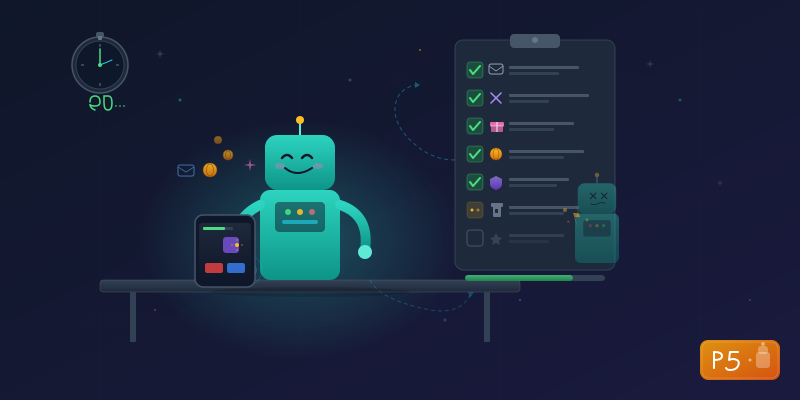
If you've ever played a mobile idle RPG, you know the routine. Every single day:
- Collect idle rewards (accumulated while you were sleeping/working/living)
- Sign in at the shop for a free reward
- Collect mail rewards
- Claim battle gift slots
- Claim daily task activity rewards
- Send and collect friend gifts
- Use all arena attempts
None of this is strategic gameplay. It's menu navigation — tap, wait, tap, wait, tap. Five to ten minutes of going through the motions just to not fall behind.
The perfect candidate for automation.
Message Probing: Figuring Out What to Say
I had a working API client from Part 4 and over 1,400 known message types from the protocol definitions. But I didn't know the exact request/response format for most of them. The Lua bytecode has the encode/decode functions, but parsing 1,400+ nested functions from a massive bytecode file isn't exactly a lunch break activity.
Instead, I used a lazier (smarter?) approach: send an empty message and see what happens.
# Probe each message with an empty body
for name, msg_id in interesting_messages:
    resp = client.send_message(msg_id, body=b"")
    if resp:
        print(f"{name}: status={resp.status}, body={len(resp.body)}B")
IdleRewardsInfo:     status=0, body=107B    -- Returned data!
MailList:            status=0, body=1847B   -- Lots of mail
ArenaListInfo:       status=0, body=40B     -- Arena data
ShopSignIn:          status=-1, body=0B     -- Already signed today
FriendGiftSend:      status=-1, body=0B     -- Needs parameters
Messages that accept empty bodies return data immediately. Messages that need parameters return status -1. This let me quickly sort 1,400 messages into "just ask" vs. "needs work."
Decoding the Responses
For messages with response bodies, I decoded them field by field. The arena info response was 40 bytes — ten Int32 fields:
Field 1:  1523     -- my rank
Field 2:  0        -- unknown
Field 3:  4891     -- my score
Field 4:  7001     -- season identifier?
Field 5-8: 0       -- padding
Field 9:  timestamp -- season end date
Field 10: 5        -- remaining attempts!
That last field was the key: remaining arena attempts. By comparing the decoded values with what I could see in-game, I could confirm what each field meant. It's like having a Rosetta Stone — see the value in the binary data, check the in-game UI, and connect the dots.
The Arena: Boss Fight of Automation
The arena was the hardest task because its response format is deeply nested. Each arena query returns a list of opponents, and each opponent is a complex structure:
For each opponent:
  - Player ID (8 bytes, not 4!)
  - Player name (variable-length string)
  - Icon, level, score, power, rank (4 bytes each)
I discovered the format through several failed attempts:
- First try: Read everything as 4-byte integers. Player IDs came back as garbage — because they're actually 8-byte values.
- Second try: Fixed the IDs, but names appeared in the middle of number reads — there's a variable-length string I hadn't accounted for.
- Third try: Got all opponents with correct names, levels, and power values. Victory.
Fighting Yourself
One entertaining discovery: the opponent list includes your own character. My first automated arena run produced:
Fighting [my character] (lv56, power=363058)
Result: WIN
I was fighting myself. And winning, apparently.
# Filter yourself out of the opponent list
opponents = [o for o in opponents if o['player_id'] != my_player_id]
The Task Framework
I structured the bot around a simple pattern: each daily task is a class that knows how to do one thing. The bot runs them in priority order:
class BaseTask(ABC):
    name: str = "unnamed"
    priority: int = 50  # Lower = runs first

    def send(self, msg_id, body=b"", timeout=10.0):
        """Send a game message with a human-like delay."""
        time.sleep(random.uniform(0.5, 2.0))
        return self.client.send_and_wait(msg_id, body, timeout=timeout)

    @abstractmethod
    def run(self) -> bool:
        """Execute the task. Returns True if something was done."""
        ...
Each task checks whether there's work to do before acting. No arena attempts left? Skip. Already signed in today? Skip. No mail? Skip.
| Priority | Task | What It Does |
|---|---|---|
| 5 | Idle Rewards | Collect AFK rewards |
| 8 | Shop Sign-in | Free daily reward |
| 10 | Collect all mail | |
| 15 | Battle Gifts | Claim gift slots |
| 20 | Daily Tasks | Claim activity rewards |
| 25 | Friend Gifts | Send and collect gifts |
| 30 | Arena | Use all fight attempts |
A Full Bot Run
=== Connecting ===
Logged in as: [my character] lv56
Premium: 7,136 | Gold: 6,869,784

=== Running 7 tasks ===

--- Idle Rewards (priority 5) ---
  Collected idle rewards!

--- Shop Sign-in (priority 8) ---
  Daily sign-in: claimed!

--- Mail (priority 10) ---
  Collected 7 mails

--- Battle Gifts (priority 15) ---
  Claimed 5 gift slots!

--- Daily Tasks (priority 20) ---
  No active rewards to claim

--- Friend Gifts (priority 25) ---
  Sent friend gifts!
  No friend gifts to collect

--- Arena (priority 30) ---
  Rank: 1523, remaining attempts: 5
  Found 5 opponents (excluding self)
  Fighting opponent 1: WIN
  Fighting opponent 2: WIN
  Completed 2 arena fights

=== Done ===
  [OK] Idle Rewards
  [OK] Shop Sign-in
  [OK] Mail
  [OK] Battle Gifts
  [SKIP] Daily Tasks
  [OK] Friend Gifts
  [OK] Arena
Seven tasks. About 90 seconds. Zero tapping.
What used to take 5-10 minutes of zombie-tapping through menus now runs with a single command. My thumbs have never been happier.
The Complete Journey
Over five posts, we went from a black-box mobile game to:
- APK extraction — Unzipped the app, found the Lua bytecode
- Traffic capture — Listened to the game's network conversation
- Protocol decoding — Built a disassembler to crack the binary format
- API client — Replicated the auth chain in Python
- Automation — Built a bot that handles the daily grind in 90 seconds
The total toolkit: Python, an Android emulator, adb, UnityPy, mitmproxy, and a lot of hex dumps.
What I Learned
Probing is faster than decompiling. Instead of fully reverse-engineering every message format, sending empty messages and observing responses is much quicker. Let the server tell you what it expects.
Status codes are your guide. 0 = success, -1 = nothing to do or wrong format. These tell you immediately whether your request format is right.
Variable-length fields break everything. The arena response mixes fixed-size integers with variable-length strings and arrays. A "read everything as Int32" approach works until it suddenly doesn't.
Test on a throwaway account. I used a guest account on an emulator for all development. The worst case was losing a fresh account, not my main.
The methodology is universal. The techniques here apply to any game that uses Lua for game logic (which is a lot of mobile games). Specific protocols change, but the approach is the same: extract the code, capture the traffic, correlate the two, and build from there.
A Note on How This Actually Got Built
I mentioned in Part 1 that I used AI tooling throughout this project, and now that we're at the finish line, it's worth being specific about what that looked like.
The bytecode disassembler, the binary protocol parser, the WebSocket client, the authentication chain, the bot framework — all of it was built collaboratively with Claude Code. I directed the investigation — "try this message type," "that field looks wrong," "what if the timestamp is 32-bit?" — while Claude handled the implementation, the hex analysis, and the rapid iteration on broken packet formats.
Even with an AI that can read Lua bytecode specs and generate Python in seconds, the full process took roughly five hours of focused work across multiple sessions. At one point I ran out of API tokens mid-debug session and had to wait for a reset — the digital equivalent of running out of gas on the highway.
Here's what that tells you: reverse engineering is genuinely hard. A highly optimized AI, purpose-built for code analysis, still needed sustained human direction and hours of back-and-forth to crack a single mobile game's protocol. The "4 bytes wrong" story from Part 3 wasn't a cute anecdote — it was a real wall that took multiple approaches to break through.
There's an important distinction worth making here. Using AI to implement a bytecode disassembler while you direct the investigation — deciding what to look for, recognizing when output looks wrong, knowing which tool to reach for next — is fundamentally different from handing over a vague prompt and hoping for magic. The AI couldn't have started this project. It didn't know to open the APK, or that the game used Lua, or that the network traffic would be unencrypted. Those were human observations that shaped every step. The tool extended my reach; it didn't replace my thinking.
But that's also what makes this series useful. The methodology — what to look for, why to try certain approaches, how to think about binary data — is the part that matters. Tools change. Thinking doesn't. Whether you're using AI, a hex editor, or a napkin full of notes, you still need to know that an APK is a ZIP file, that network traffic tells a story, and that wrong assumptions about data types will ruin your afternoon.
A note on responsible disclosure: This series describes techniques for analyzing software you've downloaded for personal use. Game names, server addresses, and authentication details have been generalized. The methodology is educational — the same techniques are taught in mobile security courses and used in authorized security research. Always respect terms of service and applicable laws in your jurisdiction.
Tools used: Python, BlueStacks, adb, UnityPy, mitmproxy, custom Lua 5.3 disassembler, websocket-client