Series: This is Part 1 of a 5-part series. Part 2 | Part 3 | Part 4 | Part 5
The Gamer's Itch
You know the feeling. You're playing an idle RPG, tapping through menus, collecting heroes, building teams. And somewhere around the 50th time you level up a hero you're not sure about, a question creeps in: what are the actual numbers here?
The game shows you stars and vague adjectives. "Powerful." "Rare." Cool — but which hero is actually better for my team? What are the real faction bonuses? What synergies exist that the tooltips don't mention?
Most people check Reddit or wait for someone to build a wiki. I opened the APK.
A note on honesty: I leaned heavily on AI tooling — specifically Claude Code — for the heavy lifting throughout this series. The bytecode disassembly, protocol analysis, and client implementation were collaborative efforts between me and an AI that's very good at reading hex dumps. Even with that help, the full process took roughly five hours of active work spread across multiple sessions. At one point I literally ran out of API tokens mid-debugging and had to wait for a reset. The point is: reverse engineering is hard, even with powerful tools. This series teaches the methodology and the thinking — the "what to look for and why" — which is the part that transfers regardless of your toolkit.
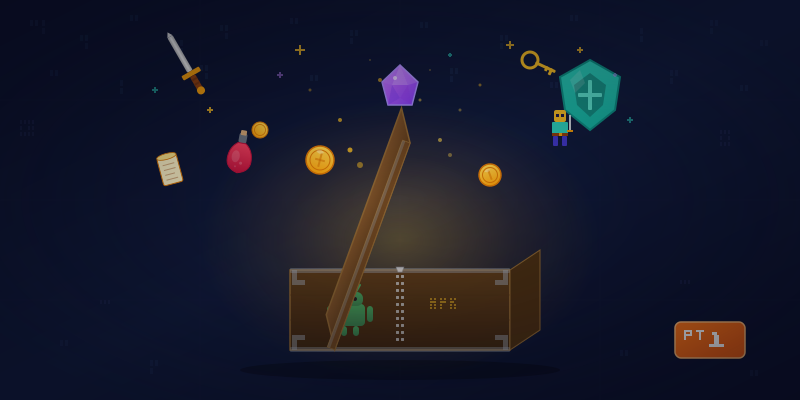
Every APK Is a Gift Box
Here's a fun secret: every Android app is just a ZIP file wearing a costume. Rename game.apk to game.zip, unzip it, and you're staring at the internals of an app that millions of people use.
# Pull the APK from your device
adb shell pm path com.example.game
adb pull /data/app/.../base.apk game.apk

# Unzip it like any other archive
unzip game.apk -d game_extracted
It's like opening a birthday present. You tear off the wrapping paper and find... well, sometimes it's socks. But sometimes it's the complete instruction manual the game never wanted you to read.
What's Under the Hood
For this particular game — a Unity-based idle RPG — the extracted contents looked like this:
| Path | What's In There |
|---|---|
lib/ |
Native libraries (compiled C++) |
assets/bin/Data/ |
Unity's main data archive |
assets/android/ |
Asset bundles — textures, audio, and game data |
classes.dex |
Java bootstrap (just launches Unity) |
The game uses a common mobile tech stack: Unity for the engine, XLua for scripting game logic in Lua, FairyGUI for menus, and Spine for character animations.
The key insight: the game logic isn't in the compiled C++ code (which is hard to reverse). It's in Lua bytecode (which is much friendlier). This is extremely common in mobile games — developers use Lua because it lets them push game updates without going through the app store.
Buried in the assets folder, I found a 16MB file — a Unity asset bundle containing every Lua module the game uses. Every hero stat. Every skill formula. Every network protocol definition.
Extracting the Good Stuff
Unity asset bundles use a format called UnityFS, with LZ4 compression. You can't just unzip them. But UnityPy, a Python library, handles the heavy lifting:
import UnityPy, os

env = UnityPy.load('assets/android/lua_bundle.ab')
os.makedirs('extracted', exist_ok=True)

for obj in env.objects:
    if obj.type.name == "TextAsset":
        data = obj.read()
        content = data.m_Script if isinstance(data.m_Script, bytes) \
                  else data.m_Script.encode()
        with open(f'extracted/{data.m_Name}.bytes', 'wb') as f:
            f.write(content)
A few lines of Python. Out came 2,880 files.
Achievement Unlocked: Data Hoarder.
The Strings Are Right There
The extracted files are compiled Lua 5.3 bytecode — not readable as source code. But here's the thing about Lua bytecode that makes data miners smile: string constants are stored in plaintext.
Think of it like a locked filing cabinet where someone taped all the labels to the outside. The logic is locked away, but the data — hero names, stat values, skill descriptions, error messages — is right there in the raw bytes.
# Even basic string extraction reveals the game's secrets
import re

with open('hero_data.lua.bytes', 'rb') as f:
    data = f.read()

for match in re.findall(rb'[\x20-\x7e]{4,}', data):
    print(match.decode())
hero_avatar
name
[HeroName1]
icon
hero_id
[HeroName2]
[HeroName3]
[HeroName4]
...
Every hero name, every skill description, every item label — readable without any decompiler. Just looking at the strings in the right files.
The Treasure Map
From those 2,880 files, I found:
- Data tables: Hero stats, skill formulas, item prices, arena rewards, stage difficulty curves, VIP benefits — the entire game economy
- Network handlers: Message definitions for every feature — Login, Arena, Shop, Guild, Hero, Fight, Mail
- Protocol definitions: A massive file containing the encode/decode logic for over 1,400 message types in the game's binary protocol
- UI modules: Every screen, dialog, and menu
- Config files: Server URLs, feature flags, version info
With just the data tables alone, I could already build a complete hero database with real numbers, create a team optimizer, and answer every "which hero is better?" question the community had been guessing about.
But the real prize was those network protocol files. The game talks to its server using a custom binary protocol — and I had the encoding logic for every message type.
That's where things got really interesting.
In Part 2, I'll show how I eavesdropped on the conversation between the game and its server — and discovered they'd left the front door wide open.
A note on responsible disclosure: This series describes techniques for analyzing software you've downloaded for personal use. Game names, server addresses, and authentication details have been generalized. The methodology is educational — the same techniques are taught in mobile security courses and used in authorized security research. Always respect terms of service and applicable laws in your jurisdiction.
Tools used: adb, UnityPy (Python), basic string extraction