Series: Part 2 of a 5-part series. Part 1 | Part 3 | Part 4 | Part 5
Setting the Stage
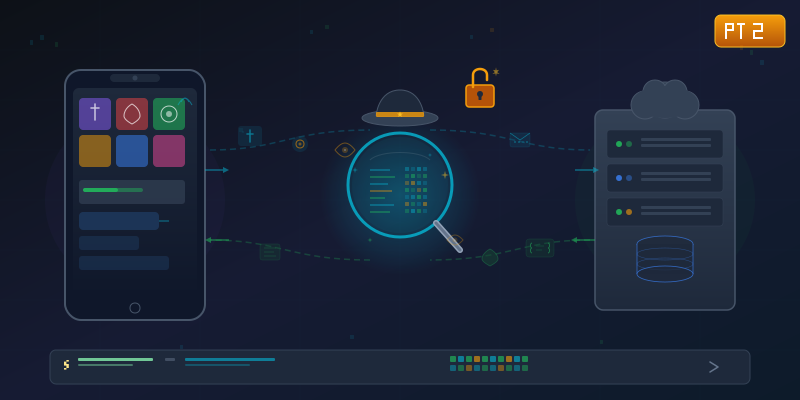
In Part 1, I extracted 2,880 Lua files from the game's APK. That gave me data tables and protocol definitions — the blueprint. Now I needed to see the actual communication happening between the game and its servers.
Think of it this way: Part 1 was finding the instruction manual. Part 2 is listening to the phone call.
The Emulator Setup
You can use a real phone for traffic capture, but an emulator is more convenient for development. I used BlueStacks because it has built-in ADB access and makes it easy to create throwaway guest accounts for testing.
Important: Always use a disposable test account for this kind of exploration. You don't want to risk your main account while poking around.
The Proxy: Your Ears on the Wire
mitmproxy is a free, scriptable HTTPS proxy. It sits between the game and the internet, letting you see every request and response in real time. The setup is straightforward:
- Run mitmproxy on your PC
- Point the emulator's network traffic through the proxy
- Install mitmproxy's CA certificate on the emulator
But before I spent time on setup, there was one critical question to answer first.
The SSL Pinning Check (Or Lack Thereof)
Here's the thing about intercepting mobile app traffic: most apps use SSL certificate pinning to prevent exactly what I was trying to do. It's like a bouncer checking IDs — the app verifies it's talking to the real server, not someone in the middle.
I checked the APK for any pinning configuration:
- No
network_security_config.xml - No pinning libraries
- No custom certificate validation
Nothing. The game trusts any CA certificate installed on the device. No Frida hooks needed. No binary patching. No root access required.
They essentially left the Wi-Fi password on a sticky note next to the router.
What the Traffic Reveals
With the proxy running, I launched the game and watched the login flow unfold. It was like reading someone's diary — everything was there:
Step 1: "Hey, What's New?"
The game's first request asks the server for configuration — URLs for every service, version numbers, feature flags. One small URL parameter is critical; without it, you get a minimal response instead of the full configuration.
Step 2: "It's Me, Let Me In"
The authentication request. And here's where it gets interesting: guest accounts authenticate using only a device fingerprint hash. No username. No password. The server creates an account based solely on a hash of your device identity. The request includes an MD5 signature to prevent tampering, but the signing key is... well, we'll get to that in Part 4.
Step 3: "Which Server?"
The game fetches a server list, returning which servers have your characters and which are new. Each entry includes the server's internal address and port.
Step 4: The WebSocket Connection
The real-time game communication happens over WebSocket — a persistent binary connection. This is where hero battles, arena fights, chat messages, and everything else flows. The messages aren't JSON or protobuf — they're a custom binary format.
The Accidental Gold Mine
While setting up the proxy, I ran a standard diagnostic command to check the emulator's log output:
adb logcat -s Unity
And discovered something remarkable: the game logs everything to the system console. In plaintext. Login credentials. Auth tokens. Server URLs. Every message sent and received with its ID and contents.
LUA: [MSG] send reqLogin
LUA: [MSG] recv resLogin status=0
This was actually more useful than the proxy for initial analysis — every message type and its context was right there in the debug output. It's like the game was narrating its own heist movie.
The Binary Protocol
The WebSocket messages were pure binary — custom-formatted packets, not any standard serialization. From the Lua source code extracted in Part 1, I could see the game uses MsgReader and MsgWriter classes with methods like writeInt32(), readString(), writeInt64().
At this point I had three pieces of the puzzle:
- Captured binary frames — the raw bytes flowing between game and server
- Lua source code — the encoding/decoding logic for every message type
- Debug logs — telling me which message ID each frame corresponded to
All I had to do was match them up and figure out the exact binary layout. How hard could that be?
(Narrator: It was harder than expected.)
In Part 3, I'll show the detective work of cracking the binary wire format — including a wrong assumption that cost me hours and the homemade disassembler that finally resolved it.
A note on responsible disclosure: This series describes techniques for analyzing software you've downloaded for personal use. Game names, server addresses, and authentication details have been generalized. The methodology is educational — the same techniques are taught in mobile security courses and used in authorized security research. Always respect terms of service and applicable laws in your jurisdiction.
Tools used: BlueStacks, mitmproxy, adb logcat, Python