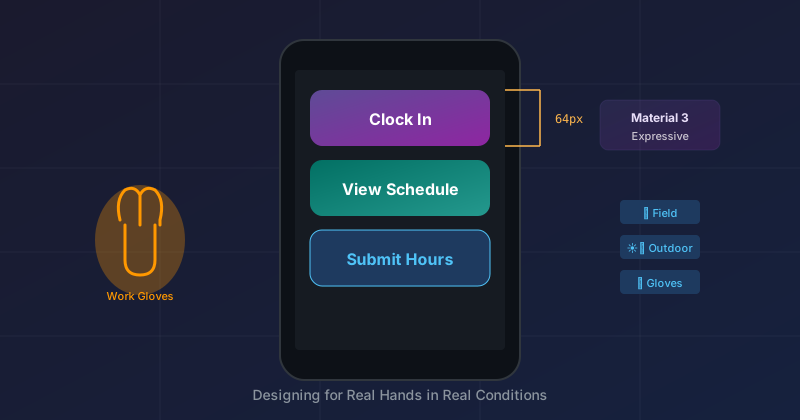
Material 3 Expressive is Google's most researched design update ever—46 studies, 18,000+ participants. But the case studies focus on consumer apps: messaging, social media, entertainment. What about apps for field workers? People wearing work gloves, squinting in sunlight, covered in drywall dust, who need to clock in now and get back to the job site?
That's the design challenge for our crew management app, a crew management app for electricians, plumbers, and HVAC technicians. Here's how we adapted M3E principles for blue-collar reality.
The User Context
Our users aren't sitting at a desk with a clean screen and perfect lighting. They're:
- Wearing gloves — Touch accuracy drops significantly
- In bright sunlight — Low-contrast UI disappears
- In a hurry — Seconds matter when the foreman is waiting
- Possibly fatigued — End of a 10-hour shift, decision-making is impaired
- Wide age range — From 20-something apprentices to 60-year-old master electricians
M3E's research found that older adults (45+) were particularly affected by weak signifiers in flat design—they took 22% longer to complete tasks. Our user base skews older than typical consumer apps. This matters.
Principle 1: 64px Touch Targets (Minimum)
M3E recommends 48dp minimum touch targets. We went to 64px for primary actions.
.m3-bottom-nav__item {
  min-height: 64px;
  padding: 8px 16px;
}

.m3-clock-card__button {
  min-height: 56px;
  width: 100%;
}
Why 64px? Try tapping a 48px button while wearing leather work gloves. Now try it when you're tired and the sun is glaring. Now try it when you just need to clock out so you can pick up your kid from school. That extra 16px isn't luxury—it's respect for reality.
The Clock Out button is full-width and 56px tall. You can't miss it.
Principle 2: Two Choices, Not Five
Our first navigation design had a drawer menu with multiple options. Users had to:
- Tap the hamburger icon
- Wait for the drawer to animate
- Scan the options
- Tap their choice
- Wait for the drawer to close
Four interactions to get to Time Tracking. That's ridiculous.
We replaced it with a 2-tab bottom nav:
┌─────────────────────────────────────────┐
│                                         │
│   📋            ⏱️                      │
│   My Work       Time                    │
│   ▬▬▬                                   │
│                                         │
└─────────────────────────────────────────┘
My Work and Time. Those are the two things field workers do: complete tasks and track time. Settings? That's a profile avatar in the header—visible but not competing for attention with primary actions.
Hick's Law says decision time increases logarithmically with choices. For a fatigued user, reducing choices from 5 to 2 isn't a 60% improvement—it's more like 80%.
Principle 3: The Floating Card Pattern
Different Android phones have wildly different system chrome. Some have thin gesture bars, others have chunky navigation buttons. Some have camera notches, others don't. Trying to fight this with safe area calculations is a losing battle.
Our solution: treat the entire app as a floating card.
┌──────────────────────────────────────────────┐
│ ▓▓▓▓▓▓▓ Status Bar ▓▓▓▓▓▓▓ (navy behind)   │
│ ╭──────────────────────────────────────────╮ │
│ │                                          │ │
│ │  App content as floating card            │ │
│ │  with 24px rounded corners               │ │
│ │                                          │ │
│ ╰──────────────────────────────────────────╯ │
│ ▓▓▓▓▓▓ Nav Buttons ▓▓▓▓▓▓ (navy behind)    │
└──────────────────────────────────────────────┘
The CSS is simple:
body {
  background-color: #1A365D; /* Navy */
}

.nav-scaffold {
  position: fixed;
  top: 8px;
  left: 8px;
  right: 8px;
  bottom: 8px;
  border-radius: 24px;
  background-color: #FAFAFA;
  box-shadow: 0 8px 32px rgba(0, 0, 0, 0.4);
  overflow: hidden;
}
Now the navy background extends behind the status bar and navigation buttons—they become part of the design rather than awkward intruders. The rounded corners of the card create a clear boundary that works on any device.
Principle 4: Blueprint Aesthetic
Generic business app aesthetics don't resonate with construction workers. They're used to blueprints—technical drawings with precise measurements and grid patterns.
We leaned into this:
.nav-scaffold {
  background-image:
    linear-gradient(rgba(64, 180, 180, 0.15) 2px, transparent 2px),
    linear-gradient(90deg, rgba(64, 180, 180, 0.15) 2px, transparent 2px);
  background-size: 24px 24px;
}
The subtle teal grid lines evoke graph paper and technical drawings. It's not just decoration—it tells users "this is a professional tool for professional work."
Principle 5: Tappable Clock Status
On the My Work page, we show the current clock status:
┌─────────────────────────────────────────┐
│ ⏱️  4h 32m                      →      │
│     Clocked in since 8:00 AM            │
└─────────────────────────────────────────┘
This isn't just informational—it's a navigation target. Tap it to go to the Time page. The whole card is the touch target, not just a small button.
<div class="m3-clock-status" @onclick="NavigateToTime">
M3E calls this "obvious affordance." The chevron (→) signals interactivity, but even without it, the elevated card with rounded corners suggests tappability.
Principle 6: Preventing Accidental Interaction
Field workers often accidentally select text when they meant to tap. A dirty screen or sweaty finger drags slightly, and suddenly the time display is highlighted in blue.
h1, h2, h3, .m3-page-header__title, .m3-clock-card__time,
.m3-badge, .m3-bottom-nav__label {
  user-select: none;
  -webkit-user-select: none;
}
This is a small thing, but it prevents frustrating false interactions. The app should respond to taps, not interpret drags as text selection.
The Serif Header Trick
M3E introduced expressive typography—serif fonts for hero moments. We use Playfair Display for the greeting and user name:
.m3-page-header__greeting {
  font-family: 'Playfair Display', Georgia, serif;
  font-style: italic;
  font-size: 1.25rem;
}

.m3-page-header__title {
  font-family: 'Playfair Display', Georgia, serif;
  font-style: italic;
  font-size: 3.5rem;
  font-weight: 900;
}
This creates a surprisingly premium feel. The italic serif says "this was crafted" rather than "this was generated." For field workers who often feel underserved by software, this small touch communicates respect.
What We Didn't Do
M3E has 35 new shape variants, expressive motion theming, dynamic color from wallpaper extraction. We used almost none of that.
Why? Because every additional visual element competes for attention. A field worker at 4pm after 8 hours of physical labor doesn't need "delight"—they need to clock out in two taps and go home.
We used M3E principles selectively:
- Yes: Large touch targets, tonal harmony, clear containment
- No: Complex animations, dynamic theming, decorative shapes
The research that makes M3E valuable isn't about the new features—it's about understanding that users spot key elements 4x faster with strong signifiers. We applied that insight ruthlessly.
Key Takeaways
- 64px touch targets — Work gloves demand it
- Two choices, not five — Fatigued users can't handle decision overload
- Floating card pattern — Stop fighting device chrome, embrace it
- Industry-appropriate aesthetic — Blueprints resonate with construction workers
- Everything is a touch target — Cards, not buttons
- Prevent false interactions — Disable text selection on UI elements
- Premium typography — Serif headers signal craft
- Selective restraint — Use M3E principles, not M3E features
The Real Test
The design isn't done when it looks good on an emulator. It's done when a 55-year-old electrician with dusty gloves can clock out in 3 seconds without looking up from his work van.
That's the bar. Everything else is just aesthetics.
M3E gave us the research to justify decisions we might otherwise have had to defend on instinct. "Users spot key elements 4x faster" is a lot more convincing in a stakeholder meeting than "I think bigger buttons look better."
Related Posts
- The Floating Card Pattern: Device-Agnostic Mobile Design — Detailed CSS implementation
- Drawer vs. Bottom Nav: A UX Decision Framework — Why we killed the hamburger menu
References
- M3 Expressive Research — The 46-study research foundation
- Nielsen Norman Group: Flat Design Study — The 22% task time increase that M3E addresses


