The Setup
I had a perfectly working Discord bot. Slash commands fired off beautifully. Users ran /tldr and got their channel summaries. The /cost command showed API usage. Everything was humming along on Railway.
Then I decided to add prefix commands—the old-school !admin whoami style that Discord veterans know and love. Simple enough, right? Subscribe to MessageReceived, check for the prefix, handle the command. I've done this a hundred times.
Famous last words.
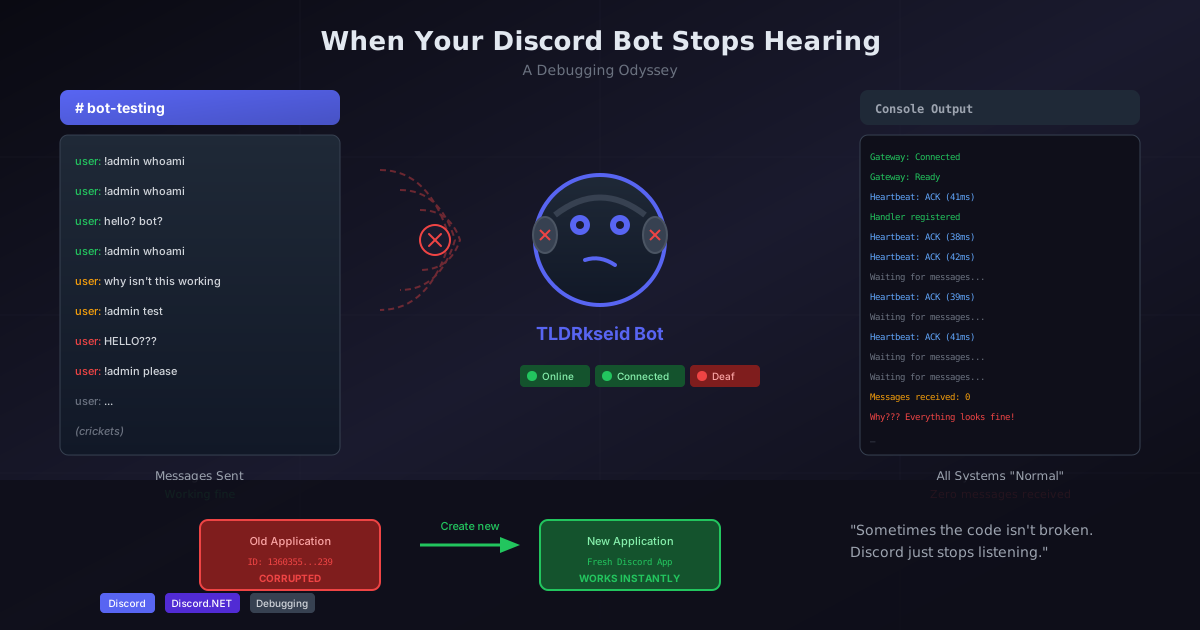
The bot heard nothing. Absolute silence. Like calling someone's phone, watching it ring on their end, seeing them look at it... and they just don't answer. No voicemail. No "busy" signal. Just nothing.
The Symptoms
Here's what made this particularly maddening:
- Slash commands worked perfectly —
/tldr,/cost, all responding instantly - The bot showed as "online" in Discord
- Gateway connected successfully — logs confirmed connection
- No error messages anywhere — just... nothing
The MessageReceived event handler was registered. The code was correct. I could see it in the logs:
✅ MessageReceived event handler registered
[Discord] Gateway: Connected
[Discord] Gateway: Ready
But when I typed !admin whoami in Discord? Crickets. The kind of silence that makes you question whether you actually know how to program.
Down the Rabbit Hole
What followed was several days of increasingly desperate debugging. Not that I was counting the hours. (I was absolutely counting the hours.)
1. Gateway Intents (The Usual Suspect)
Discord requires bots to explicitly request "intents" for certain events. Message content is a privileged intent—maybe I forgot to enable it?
GatewayIntents = GatewayIntents.Guilds
    | GatewayIntents.GuildMessages
    | GatewayIntents.MessageContent  // The privileged one
    | GatewayIntents.DirectMessages
I checked the Discord Developer Portal. All three privileged intents were enabled. I even tried GatewayIntents.All out of desperation—the programming equivalent of "have you tried turning it off and on again?" Nothing changed.
2. Token Regeneration
Maybe the token was compromised or corrupted somehow? I regenerated it, updated my environment variables, redeployed. Still silent. At this point I was starting to take it personally.
3. Re-Inviting the Bot
Perhaps the bot's permissions got stale? I kicked it from the server, generated a fresh OAuth2 URL with all the right scopes and permissions, re-invited it. The bot rejoined happily, like a dog who doesn't understand why you're upset.
MessageReceived still never fired.
4. Debug Logging Everywhere
I added Console.WriteLine statements at every possible point:
Client.MessageReceived += async message =>
{
    Console.WriteLine($"[MessageReceived] From: {message.Author?.Username}");
    Console.Out.Flush();
    // ... handler code
};
The handler was registered. The event just never triggered.
5. Integration Tests
At this point, I wrote actual integration tests that connected a real bot to Discord and waited for messages:
[Fact]
public async Task Diagnose_Gateway_Intents()
{
    // Connect bot, wait 30 seconds, count received messages
    await Task.Delay(30000);

    _output.WriteLine($"Total messages received: {messageCount}");
    _output.WriteLine($"User messages: {userMessageCount}");
}
The test passed (no exceptions), but reported:
Total messages received: 0
User messages: 0
Zero messages in 30 seconds of active chatting. The bot was deaf. Confirmed by science.
The Breakthrough (Or: The Humbling)
After exhausting every configuration option, questioning my career choices, and seriously considering whether Discord bots were simply not meant for me, I had a thought:
What if the Discord Application itself was broken?
Not the token. Not the intents. Not the code. The application in Discord's Developer Portal—the thing I hadn't touched in months.
It felt like giving up. It was giving up. But I created a brand new Discord Application:
- New name (same as before—Discord doesn't care)
- New Bot section
- Enabled all privileged intents
- Generated fresh token
- Invited to my server
First test with the new application:
[MessageReceived] From: dungeondigressions, Channel: chatter, Content length: 13
Admin command received from user dungeondigressions
Processing 'whoami' command...
Sent ephemeral reply: 👤 You are a regular user.
It worked instantly.
I didn't debug anything. I didn't fix a single line of code. I just... started over. Sometimes the code wins. Sometimes you win. And sometimes Discord was broken the whole time and you'll never know why.
The old Discord Application (ID: 1360355381875970239) was silently corrupted. It could connect to the gateway, receive heartbeats, handle slash commands through Discord's interaction system—but it would never receive MESSAGE_CREATE events. And Discord gave zero indication anything was wrong.
Reader, I screamed.
Lessons Learned
1. Discord Applications Can Silently Break
There's no error. No warning. No "your application is corrupted" message. No email saying "Hey, we broke your thing." It just stops receiving certain events while appearing completely healthy. This is fine. Everything is fine.
2. Heartbeats Don't Mean Full Functionality
My bot was receiving heartbeat acknowledgments every 60 seconds, proving the WebSocket connection was alive. But gateway connection ≠ event subscription. The connection can be "working" while events are silently dropped.
3. Slash Commands Use a Different Path
This is why /tldr worked while !admin didn't. Slash commands go through Discord's HTTP interaction endpoints, completely bypassing the gateway event system. A bot can have fully functional slash commands with a totally broken MessageReceived handler.
4. When All Else Fails, Start Fresh
After hours of debugging code that wasn't broken, the fix was to create a new application. Sometimes the problem isn't in your code—it's in the platform's state. This is both liberating and infuriating. Mostly infuriating.
Bonus Issues We Found Along the Way
Because apparently one debugging odyssey wasn't enough, once messages were flowing, we discovered two more problems:
Private Category Permissions: The bot had permissions at the server level, but private categories in Discord override those with explicit allow/deny settings. The bot could "see" the category but couldn't actually receive messages from it.
Prefix Collision: Another bot (Avrae) also used !admin as a command. Both bots tried to respond, causing a very confused conversation where two bots talked past each other like divorced parents at a school play. We changed to $admin to avoid the conflict. (And added a TODO to make the prefix configurable—a TODO that will definitely get done eventually. Probably.)
The Code That Finally Worked
For anyone else debugging this issue, here's the working configuration:
var config = new DiscordSocketConfig
{
    GatewayIntents = GatewayIntents.All,  // Or be specific
    LogLevel = LogSeverity.Debug,
    MessageCacheSize = 100
};

var client = new DiscordSocketClient(config);

client.MessageReceived += async message =>
{
    Console.WriteLine($"[MessageReceived] {message.Author?.Username}: {message.Content?.Length} chars");
    // Your handler here
};
And in the Discord Developer Portal:
- Presence Intent: Enabled
- Server Members Intent: Enabled
- Message Content Intent: Enabled
But honestly? If this configuration isn't working and you've verified everything, just create a new application. It took me days to learn that lesson so you don't have to.
Sometimes the code isn't broken. Sometimes Discord just... stops listening.
Have you encountered silent Discord Application failures? I'd love to hear about it—misery loves company in debugging. Drop a comment below and we can commiserate about the hours we'll never get back.
If you're building Discord bots in .NET and want to see what one looks like at the feature level, TLDRkseid: Building a Discord Bot That Summarizes Chaos covers the actual implementation — once we got it to listen again.


