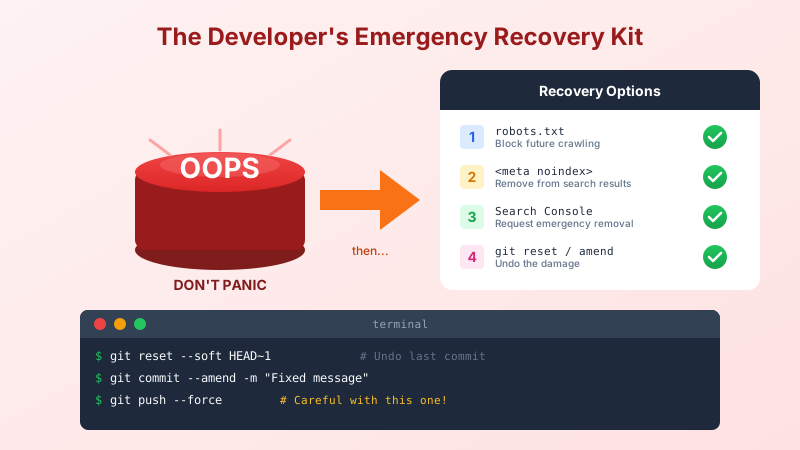
The Accidental Exposure
You're cruising along, building features, committing code. Life is good. Then you deploy and realize:
- Your admin dashboard is showing up in Google
- That test page with embarrassing placeholder text? Indexed.
- The staging environment you forgot to protect? Now discoverable by anyone searching "yourcompany internal dashboard"
Or worse: you pushed a commit with your API key, a password, or that angry comment about the client's ridiculous requirements. (// TODO: figure out why client thinks this makes sense)
Deep breath. We've all been there. Here's how to clean it up.
The robots.txt Nuclear Option
Remember from the SEO basics post that robots.txt tells crawlers what they can access? Time to use the "no" part.
User-agent: *
Disallow: /admin/
Disallow: /staging/
Disallow: /test/
Disallow: /internal/
Disallow: /api/
Disallow: /swagger/

Sitemap: https://yoursite.com/sitemap.xml
This tells well-behaved crawlers: "Pretend these don't exist."
The catch: If the page is already indexed, this won't remove it immediately. Google will eventually stop showing it, but "eventually" could be weeks.
The Meta Tag Approach
For individual pages you want hidden, add this to the <head>:
<meta name="robots" content="noindex, nofollow">
noindex= Don't show this page in search resultsnofollow= Don't follow links on this page
In ASP.NET Core, you might do this conditionally:
@if (ViewBag.HideFromSearch == true)
{
    <meta name="robots" content="noindex, nofollow">
}
Or for an entire controller:
public class AdminController : Controller
{
    public IActionResult Index()
    {
        ViewBag.HideFromSearch = true;
        return View();
    }
}
The "Oh No, It's Already Indexed" Emergency
Google already found your embarrassing page? You have two options:
Option 1: Google Search Console Removal
- Go to Google Search Console
- Select your property
- Go to "Removals" in the left sidebar
- Click "New Request"
- Enter the URL you want gone
- Wait 24-48 hours
This is a temporary removal (about 6 months). Combine it with noindex for permanence.
Option 2: The 410 "It's Dead, Jim"
A 410 Gone status code tells search engines "this used to exist but is deliberately removed." It's stronger than a 404.
[Route("old-embarrassing-page")]
public IActionResult OldEmbarrassingPage()
{
    return StatusCode(410); // Gone forever, stop asking
}
Google takes 410s seriously and removes them faster than 404s.
The Git Disaster Recovery
Now for the real panic: you pushed something you shouldn't have.
Scenario: Bad Commit on a Branch (Not Yet Merged)
You committed secrets.json by accident. The classic.
# Undo the last commit but keep the changes
git reset --soft HEAD~1

# Remove the file from staging
git reset HEAD secrets.json

# Add it to .gitignore so this doesn't happen again
echo "secrets.json" >> .gitignore

# Recommit without the secret
git add .
git commit -m "Add feature (without the secrets this time)"

# Force push to overwrite the bad commit
git push --force
Warning: --force rewrites history. Only do this on branches where you're the only contributor, or coordinate with your team first.
Scenario: Need to Amend the Last Commit
You forgot to add a file, or your commit message has a typo:
# Add the forgotten file
git add forgotten-file.cs

# Amend the previous commit
git commit --amend -m "Fixed commit message and added missing file"

# Force push (if already pushed)
git push --force
Scenario: Secret Already Merged to Main
This is the bad one. The secret is in your git history forever... unless you take drastic action.
Option 1: Rotate the secret immediately
Honestly, this is usually the right answer. Change the API key, password, or token. The old one is compromised; assume it's been scraped.
Option 2: Rewrite history with BFG Repo-Cleaner
If you absolutely must remove something from history:
# Clone a fresh copy
git clone --mirror [email protected]:you/repo.git

# Use BFG to remove the file from all history
bfg --delete-files secrets.json repo.git

# Clean up
cd repo.git
git reflog expire --expire=now --all
git gc --prune=now --aggressive

# Force push everything
git push --force
Then tell everyone on your team to re-clone. Their local copies still have the old history.
The honest truth: If a secret hit a public repo, even briefly, consider it compromised. Rotate it. The few minutes of exposure is enough for automated scrapers to grab it.
The .gitignore That Should Have Been There
While we're here, let's prevent future disasters. Here's a starter .gitignore for ASP.NET projects:
# Secrets
appsettings.*.json
!appsettings.json
secrets.json
*.pfx
*.key

# User-specific
.vs/
*.user
*.suo

# Build outputs
bin/
obj/
publish/

# Environment
.env
.env.local
And add this to your pre-commit mental checklist: "Did I accidentally stage anything sensitive?"
Quick Reference: The Oops Cheatsheet
| Oops | Fix |
|---|---|
| Page shouldn't be in Google | Add <meta name="robots" content="noindex"> |
| Whole folder shouldn't be crawled | Add Disallow: /folder/ to robots.txt |
| Page is already indexed | Use Google Search Console removal tool |
| Page is gone forever | Return 410 status code |
| Bad commit not yet pushed | git reset --soft HEAD~1 |
| Bad commit already pushed | git commit --amend + git push --force |
| Secret in git history | Rotate the secret, then optionally use BFG |
The Meta Lesson
Every developer has pushed something they shouldn't have. The difference between a minor embarrassment and a major incident is how fast you catch it and how prepared you are to respond.
Set up your .gitignore before you need it. Put noindex on admin pages before they get crawled. Configure robots.txt before launch.
Future you will be grateful. Present you might even avoid the cold sweat of seeing your internal dashboard appear in Google search results.
This post is part of a series on SEO for developers. See also: SEO Demystified for the fundamentals of meta tags, Open Graph, structured data, and sitemaps.
Have your own "oops" recovery story? Share it in the comments. Misery loves company, and we've all been there.


