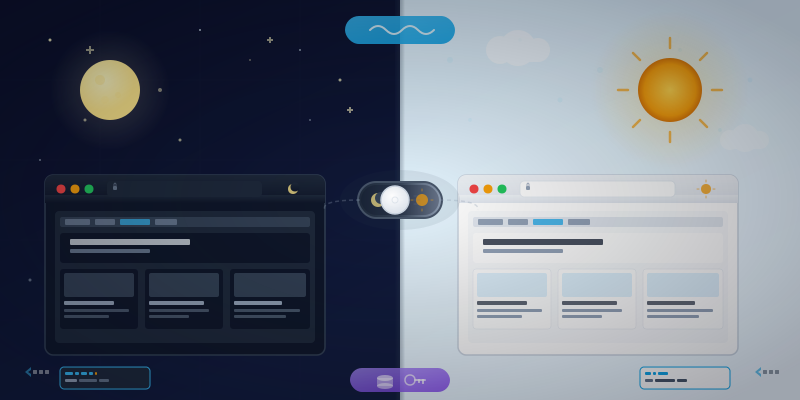
The Problem With Most Dark Modes
You've seen the bad ones. You click the toggle, and the entire page flashes white before going dark. Or you reload the page and your preference is gone. Or — my personal favorite — the site "supports" dark mode but only if your OS is set to dark, with no manual toggle.
Good dark mode should be three things: instant, persistent, and user-controlled. Here's how to build it in about 20 lines of code.
Step 1: Tell Tailwind You're in Charge
By default, Tailwind uses prefers-color-scheme (your OS setting) to decide dark mode. That's fine for some sites, but we want a toggle. One line in tailwind.config.js:
module.exports = {
  darkMode: 'class',
  // ... rest of your config
}
Now Tailwind's dark: variants only activate when the <html> element has a dark class. You're in control.
Step 2: Prevent the Flash
This is the part most tutorials get wrong. If you check localStorage in your JavaScript file — the one loaded at the bottom of the page — the browser has already painted a white background. Your user sees a flash of light mode before dark kicks in.
The fix: a tiny inline script in <head>, before anything renders.
<head>
  <!-- ... your other head elements ... -->
  <script>
    (function() {
      if (localStorage.getItem('theme') === 'dark') {
        document.documentElement.classList.add('dark');
      }
    })();
  </script>
</head>
This runs synchronously before the first paint. No flash. The dark class is already on the <html> element by the time CSS evaluates, so Tailwind's dark: variants are active from the very first frame.
Step 3: The Toggle
A button, a click handler, and localStorage. That's it.
<button id="theme-toggle" aria-label="Toggle dark mode">
  <!-- Sun icon (visible in dark mode — click to go light) -->
  <span id="icon-sun" class="hidden">
    <svg><!-- sun SVG --></svg>
  </span>
  <!-- Moon icon (visible in light mode — click to go dark) -->
  <span id="icon-moon">
    <svg><!-- moon SVG --></svg>
  </span>
</button>
function initThemeToggle() {
  const toggle = document.getElementById('theme-toggle');
  const sun = document.getElementById('icon-sun');
  const moon = document.getElementById('icon-moon');

  function updateIcons(isDark) {
    sun.classList.toggle('hidden', !isDark);
    moon.classList.toggle('hidden', isDark);
  }

  function toggleTheme() {
    const isDark = document.documentElement.classList.toggle('dark');
    localStorage.setItem('theme', isDark ? 'dark' : 'light');
    updateIcons(isDark);
  }

  // Set initial icon state (matches the <head> script's decision)
  updateIcons(document.documentElement.classList.contains('dark'));

  toggle.addEventListener('click', toggleTheme);
}
One function. No dependencies. The classList.toggle method returns a boolean — true if the class was added, false if removed — so we use that to update both localStorage and the icon in a single step.
Step 4: Style Everything Twice
With darkMode: 'class', every Tailwind utility has a dark: variant. Use both:
<body class="bg-white text-neutral-900 dark:bg-neutral-900 dark:text-neutral-100">
  <header class="border-neutral-200 dark:border-neutral-800">
    <a class="text-neutral-500 hover:text-neutral-900
              dark:text-neutral-400 dark:hover:text-white">
      Link
    </a>
  </header>
</body>
The pattern is always the same: light style first, dark: override second. Once you internalize it, it becomes muscle memory.
Why Not Just Use prefers-color-scheme?
You can — and Tailwind supports it out of the box with darkMode: 'media'. But there are reasons to prefer the manual approach:
- User control. Some people want dark mode on their phone but light mode on their laptop. OS-level settings are blunt instruments.
- Persistence. localStorage remembers across sessions. System preference can change based on time of day.
- Predictability. You know exactly when dark mode is active — when the class is there. No media query surprises.
You can even combine both: check system preference as a default, but let the user override with the toggle. I kept it simple and default to light unless the user explicitly chooses dark.
The Complete Pattern
Three pieces, each doing one job:
tailwind.config.js—darkMode: 'class'(one line)- Inline
<head>script — reads localStorage, adds class before paint (four lines) - Toggle handler — toggles class, saves preference, swaps icon (ten lines)
No framework. No library. No build step beyond what Tailwind already requires. It works with any templating engine, any backend, any static site generator.
The toggle on this site uses exactly this pattern. Click the sun/moon icon in the nav bar — that's all there is to it.
If you're newer to Tailwind and wondering how it compares to the utility-class alternatives, Tailwind vs Bootstrap: The Paradigm Shift That Finally Made Sense is a good place to start. And if your dynamic class names mysteriously stopped working in JIT mode, Tailwind's Hidden Gotchas: Dynamic Classes and @layer has the fix.
Sometimes the best features are the ones that feel like they've always been there. Dark mode should be one of them.


