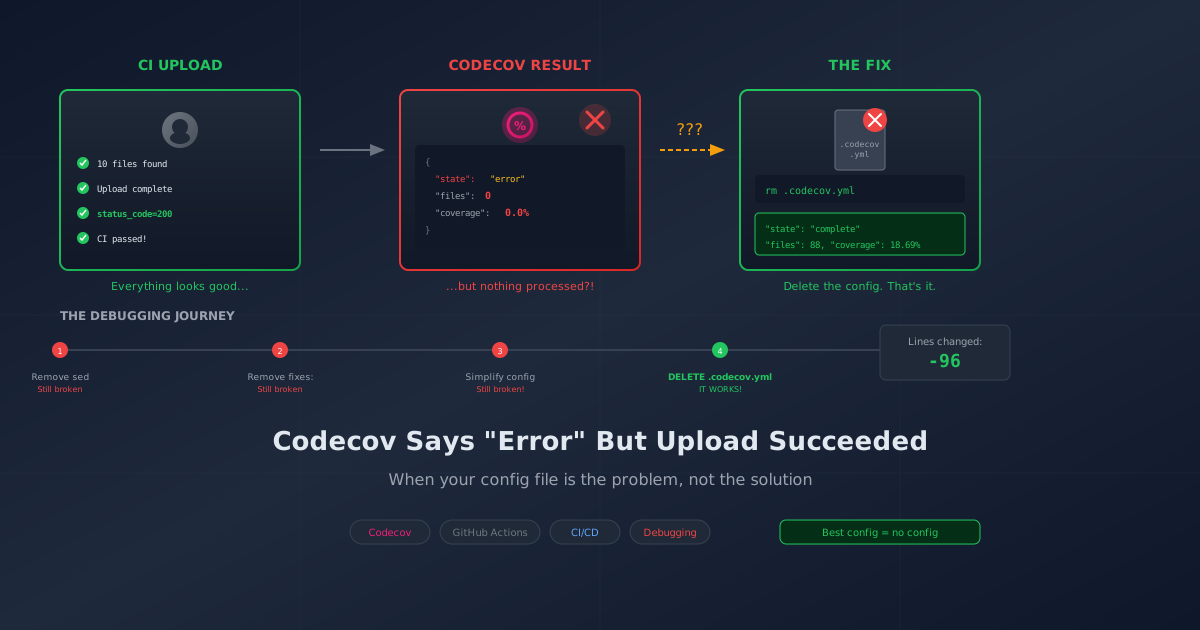
Your CI pipeline completes successfully. Tests pass. Coverage reports generate. The Codecov action uploads with status_code=200. You push your commit feeling accomplished.
Then you check Codecov. Status: error. Files: 0. Coverage: 0%.
What?
Welcome to one of those debugging sessions where everything looks right but nothing works.
The Symptom
Our .NET project had been happily reporting coverage to Codecov for weeks. Then, after some CI/CD "improvements," every single commit started showing the same thing:
{
  "state": "error",
  "totals": {
    "files": 0,
    "coverage": 0.0
  }
}
But the GitHub Actions logs showed success:
info - Found 10 coverage files to report
debug - Upload request to Codecov complete.
info - Process Upload complete
debug - Upload result --- status_code=200
The upload succeeded. Codecov accepted the files. HTTP 200. Green checkmarks everywhere. And then... nothing. Codecov processed the files and rejected all of them without saying why.
The Investigation
First, I checked the obvious things:
- Codecov token expired? Nope, token was valid.
- Coverage files missing? The CI logs showed 10 files found.
- Network issues? HTTP 200 response, files uploaded successfully.
- Config file syntax? Validated
.codecov.ymlformat. Looked fine.
Everything on the CI side looked perfect. The problem had to be on Codecov's processing side. But Codecov's web UI shows you the result, not the process. No indication of why files were rejected.
The API Deep Dive
Codecov has a REST API. Time to do some actual investigation.
# Get recent commits
curl -s -H "Authorization: Bearer $CODECOV_TOKEN" \
  "https://api.codecov.io/api/v2/github/OWNER/repos/REPO/commits?page_size=10" \
  | grep -E '"commitid"|"state"|"files"|"coverage"'
Output:
"commitid": "a4a12c2...",
    "files": 0,
    "coverage": 0.0,
"state": "error",

"commitid": "09783f7...",
    "files": 0,
    "coverage": 0.0,
"state": "error",

"commitid": "8ad84b6...",
    "files": 62,
    "coverage": 22.8,
"state": "complete",
There it was. Commit 8ad84b6 worked. Every commit after it failed. The boundary was clear.
Finding the Breaking Change
git log --oneline 8ad84b6..f270550 --reverse
One commit: Add Codecov configuration for coverage reporting
That commit added a .codecov.yml file with path fix rules. I'd also added a sed preprocessing step to the CI workflow around the same time. Let me check the working commit's workflow...
The working commit used:
- name: Upload coverage to Codecov
  uses: codecov/codecov-action@v4
  with:
    files: ./TestResults/**/coverage.cobertura.xml
    flags: unittests
The failing commits used:
- name: Fix coverage paths for Codecov
  run: |
    find ./TestResults -name "coverage.cobertura.xml" -exec sed -i \
      -e 's|/home/runner/work/MyProject/MyProject/||g' \
      {} \;

- name: Upload coverage to Codecov
  uses: codecov/codecov-action@v4
  with:
    directory: ./TestResults
    root_dir: ${{ github.workspace }}
Plus a .codecov.yml with:
fixes:
  - "/home/runner/work/MyProject/MyProject/::"
The Root Cause
I was fixing the same path twice:
- The
sedcommand stripped the runner path from the coverage XML - The
.codecov.ymlfixes:section tried to strip the same path again
The coverage XML after sed had paths like src/MyProject.Shared/Models/File.cs. Then Codecov's fixes: section tried to remove a prefix that wasn't there anymore, resulting in malformed paths that didn't match anything in the repository.
Additionally, I'd changed from files: to directory: and added root_dir, which changed how Codecov interpreted the whole thing. Three changes, three ways to break it.
The Fix (Attempt 1: Still Broken)
I removed the sed preprocessing and reverted to files::
- name: Upload coverage to Codecov
  uses: codecov/codecov-action@v4
  with:
    token: ${{ secrets.CODECOV_TOKEN }}
    files: ./TestResults/**/coverage.cobertura.xml
    flags: unittests
    name: project-coverage
    fail_ci_if_error: false
    verbose: true
Commit pushed. CI ran. Upload succeeded. Checked Codecov... still error state.
The Plot Thickens
Back to the API:
curl -s -H "Authorization: Bearer $TOKEN" \
  "https://api.codecov.io/api/v2/github/OWNER/repos/REPO/commits?page_size=5" \
  | grep -E '"commitid"|"state"|"files"'
"commitid": "6b22c24...",  # My "fix" commit
    "files": 0,
"state": "error",
Ten files uploaded. Zero files processed. The fixes: section in .codecov.yml was still causing problems even without the sed preprocessing.
The Real Root Cause
The .codecov.yml fixes: section wasn't just redundant—it was actively corrupting paths even when used alone:
fixes:
  - "/home/runner/work/MyProject/MyProject/::"
The files: parameter in codecov-action already handles path resolution correctly. When you add a fixes: section on top of that, Codecov tries to apply the fix to already-correct paths, resulting in malformed paths that don't match any repository files.
The Fix (Attempt 2: Still Broken!)
I removed the fixes: section from .codecov.yml:
# .codecov.yml - NO fixes section!
coverage:
  precision: 2
  round: down
  range: "70...100"

  status:
    project:
      default:
        target: 70%
        threshold: 5%
Just the sensible coverage settings. No path manipulation.
Pushed. CI ran. Upload succeeded (11 files!). Checked Codecov... STILL error state.
At this point I was questioning my sanity.
The Actual Fix (Attempt 3: Delete Everything)
Then I noticed something: the working commit (8ad84b6) had no .codecov.yml file at all. It was added in the very next commit—the one that started failing.
Maybe the issue wasn't the fixes: section. Maybe it was the entire file.
rm .codecov.yml
git add .codecov.yml
git commit -m "Remove .codecov.yml entirely - simpler is better"
git push
Result:
{
  "state": "complete",
  "totals": {
    "files": 88,
    "coverage": 18.69
  }
}
IT WORKS.
The fix was deleting the entire configuration file. Not fixing it. Not tweaking it. Deleting it.
Four hours of debugging. Three attempted fixes. The solution was rm .codecov.yml.
The workflow stays simple:
- name: Upload coverage to Codecov
  uses: codecov/codecov-action@v4
  with:
    token: ${{ secrets.CODECOV_TOKEN }}
    files: ./TestResults/**/coverage.cobertura.xml
    flags: unittests
    name: project-coverage
    fail_ci_if_error: false
    verbose: true
Key insight: The codecov-action works perfectly out of the box. The .codecov.yml was adding complexity that broke things. No config file needed.
Why This Bug Is Particularly Frustrating
- Uploads succeed — CI shows HTTP 200, green checkmarks, "Upload complete"
- No error details — Codecov doesn't tell you why files were rejected
- Partial success masks failure — The upload worked. The processing failed. Silently.
- It worked before — The "improvement" broke something that wasn't broken
- Multiple plausible culprits — sed? fixes:? directory vs files? Any could be the problem
Lessons Learned
When working with code coverage:
- Use the API to investigate — Codecov's web UI doesn't show processing details. The API does.
- Find the boundary — Compare working vs broken commits. The difference tells you everything.
- Start with no config — The codecov-action works out of the box. Only add
.codecov.ymlif you have a specific need. - Don't add
fixes:unless you actually need it — The codecov-action handles paths correctly by default. - Prefer
files:overdirectory:— The glob pattern is more predictable. - Test incrementally — Don't add multiple changes at once. Each one can interfere with the others.
- Verify after each change — My first AND second fixes didn't work. Always check the API to confirm.
Debugging Commands Cheat Sheet
# Check recent commit states
curl -s -H "Authorization: Bearer $TOKEN" \
  "https://api.codecov.io/api/v2/github/OWNER/repos/REPO/commits?page_size=10" \
  | grep -E '"commitid"|"state"|"files"'

# Get full commit details (includes file list)
curl -s -H "Authorization: Bearer $TOKEN" \
  "https://api.codecov.io/api/v2/github/OWNER/repos/REPO/commits/COMMIT_SHA"

# Download CI logs for analysis
gh api repos/OWNER/REPO/actions/runs/RUN_ID/logs > logs.zip
unzip logs.zip -d logs/
grep -r "coverage" logs/
But Wait, There's More
After pushing the fix, CI failed again. Not Codecov this time—the test runner itself:
Settings file provided does not conform to required format.
An XML comment cannot contain '--', and '-' cannot be the last character.
Line 8, position 22.
I had added a coverage.runsettings file to exclude migrations from coverage. The helpful comment I wrote?
<!--
  Usage: dotnet test --settings coverage.runsettings
-->
XML comments cannot contain --. The very thing I was documenting (--settings) broke the XML parser.
Fix: Delete the comment.
Sometimes the universe just wants to make sure you're paying attention.
The Damage Report
Here's the final tally:
| Fix | Lines Deleted |
|---|---|
| Remove sed preprocessing | ~5 lines |
Remove fixes: section |
4 lines |
Remove XML comments with -- |
11 lines |
Delete entire .codecov.yml |
76 lines |
Total lines of code changed: -96 lines
The working solution was the simplest one: no config file at all. All those configurations I carefully crafted? They were the problem.
"How many lines did you write today?" "Negative ninety-six. Best day I've had all week."
Wrapping Up
The irony? I was trying to improve our Codecov integration. The original simple configuration worked fine. My "improvements"—preprocessing paths, adding config files, changing parameters—created conflicts that broke everything.
Then my first "fix" didn't work. Then my second "fix" didn't work. The real fix was deleting the entire configuration file.
Sometimes the best code is no code. Sometimes the best fix is removing the fix. And sometimes the best configuration is no configuration at all.
If your Codecov uploads succeed but reports show errors:
- Do you have a
.codecov.ymlfile? Try deleting it entirely. - If you need config, do you have a
fixes:section? Remove it. - Are you using
files:ordirectory:in the action? Preferfiles:. - Are you preprocessing coverage XML with sed/awk? Stop.
And always remember: just because the upload succeeded doesn't mean Codecov understood what you sent it. Use the API to verify.
This post is part of a series on code coverage. See also: Codecov Setup Guide for the initial integration with GitHub Actions, PR comments, and coverage badges.
Total debugging time: ~4 hours. Fixes attempted: 3. Fixes that worked: 0 (until I stopped fixing). Lines of code changed: -96. Fighting with Codecov path mapping? I'd love to hear about your adventures in the comments.


