I've been building a scheduling application for a Spanish tutoring business. It accepts payments through Stripe—package purchases, single class payments, tips. The code looked fine. The webhook endpoint was registered. The signing secret was configured.
But I had no idea if any of it actually worked.
The problem with payment integrations is that "it compiles" doesn't mean "it won't silently fail when someone hands you their credit card." And testing with real money—even with immediate refunds—feels like debugging with live ammunition.
I needed a way to test webhooks without deploying to production and hoping for the best. "Hope" is not a testing strategy, no matter what my commit messages say.
The Problem: Localhost Isn't on the Internet
Stripe sends webhooks via HTTP POST to a URL you configure. In production, that's your public server. But during development, you're running on localhost:5001—which Stripe can't reach.
The traditional workarounds are painful:
- Deploy to staging for every change you want to test
- Use ngrok to expose your local machine (another tool to manage)
- Mock everything and hope production behaves the same way
There's a better option.
The Stripe CLI: Your Local Webhook Tunnel
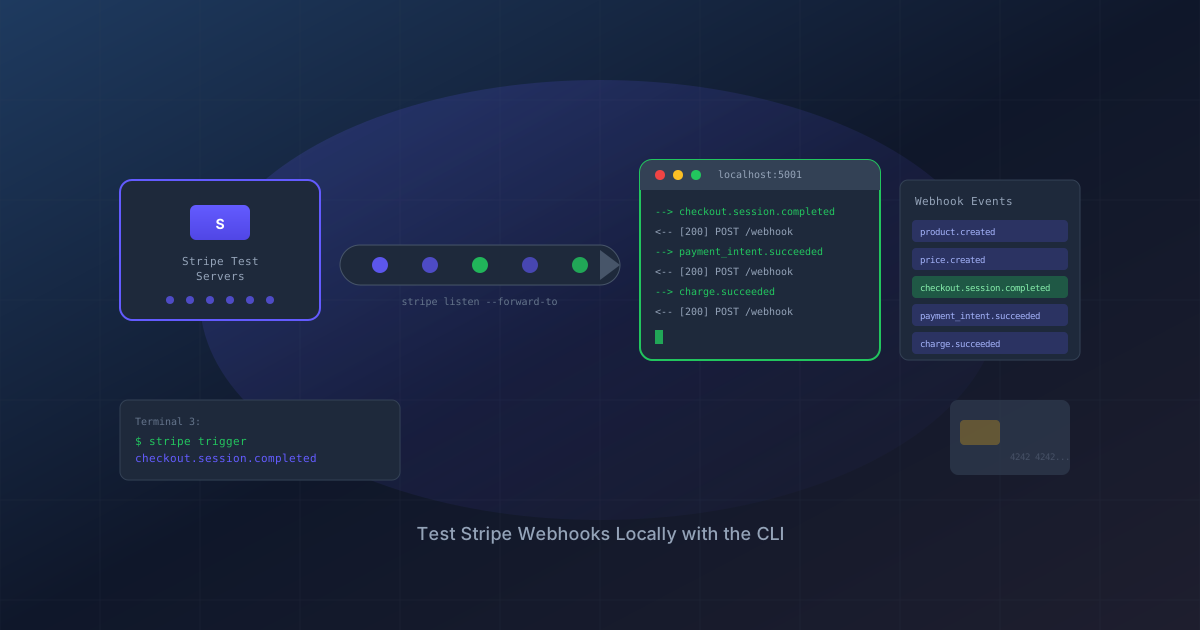
Stripe's CLI creates a secure tunnel between Stripe's test servers and your localhost. When you trigger a test event, Stripe sends a real webhook payload to your local development machine. No public URL needed. No staging server required.
Think of it as ngrok specifically for Stripe, but built by the people who know exactly what payloads they'll send.
Installation
Windows (via Scoop)
Stripe maintains their own Scoop bucket. You'll need to add it first:
scoop bucket add stripe https://github.com/stripe/scoop-stripe-cli.git
scoop install stripe
Important: New terminal windows may not recognize stripe immediately. Either restart your terminal or refresh your PATH:
$env:Path = [System.Environment]::GetEnvironmentVariable("Path","Machine") + ";" + [System.Environment]::GetEnvironmentVariable("Path","User")
Mac
brew install stripe/stripe-cli/stripe
Linux
Download from the GitHub releases page or use the install script.
Authentication
Connect the CLI to your Stripe account:
stripe login
This opens a browser window. Authenticate, and you're linked.
Forwarding Webhooks to Localhost
Here's where the magic happens:
stripe listen --forward-to https://localhost:5001/api/payment/webhook
The CLI outputs something like:
> Ready! Your webhook signing secret is whsec_abc123xyz789...
That whsec_ value is your local testing webhook secret. It's different from your production webhook secret—the CLI generates a new one each session.
Configuring Your Application
Add this temporary secret to your development configuration. In ASP.NET Core, that's appsettings.Development.json:
{
  "Stripe": {
    "PublishableKey": "pk_test_...",
    "SecretKey": "sk_test_...",
    "WebhookSecret": "whsec_abc123xyz789..."
  }
}
Now your local app will correctly validate the webhook signatures from the CLI.
Triggering Test Events
With the listener running in one terminal, open another and fire test events:
# Test a successful checkout
stripe trigger checkout.session.completed

# Test subscription lifecycle
stripe trigger customer.subscription.created
stripe trigger customer.subscription.updated
stripe trigger customer.subscription.deleted

# Test invoice events
stripe trigger invoice.paid
stripe trigger invoice.payment_failed
What Actually Happens
When you run stripe trigger checkout.session.completed, you're not just firing a single event. The CLI simulates the entire customer journey by creating a chain of dependent "fixtures":
Setting up fixture for: product
Setting up fixture for: price
Setting up fixture for: checkout_session
Setting up fixture for: payment_page
Setting up fixture for: payment_method
Setting up fixture for: payment_page_confirm
This creates real test objects in your Stripe account (product, price, checkout session) and simulates a customer entering card details and clicking "Pay."
If you check your Stripe Dashboard after running triggers, you'll see these test transactions—complete with Stripe's fictional test customer, Jenny Rosen of 354 Oyster Point Blvd, South San Francisco. Jenny has been dutifully purchasing products in developer sandboxes worldwide since Stripe's early days. Her credit card has never been declined. Her address is always verified. She is the perfect customer, and she works for free.
The result? Multiple webhook events hit your endpoint:
--> product.created [evt_...]
<-- [200] POST http://localhost:5028/api/payment/webhook
--> price.created [evt_...]
<-- [200] POST http://localhost:5028/api/payment/webhook
--> charge.succeeded [evt_...]
<-- [200] POST http://localhost:5028/api/payment/webhook
--> checkout.session.completed [evt_...]
<-- [200] POST http://localhost:5028/api/payment/webhook
--> payment_intent.created [evt_...]
--> payment_intent.succeeded [evt_...]
<-- [200] POST http://localhost:5028/api/payment/webhook
| Event | What It Means |
|---|---|
product.created |
Test product was created |
price.created |
Price attached to product |
charge.succeeded |
Card was charged |
checkout.session.completed |
Customer finished checkout ← this is usually the one you care about |
payment_intent.succeeded |
Payment completed |
Your webhook handler should return 200 for all events, even ones it doesn't process. The CLI test events won't have your custom metadata (like paymentId), so your handler needs to gracefully handle that—which is why returning early with a 200 for unrecognized events is the right pattern.
A 500 response means something broke—check your application logs.
Other Trigger Types
Each trigger simulates its own complete flow. Here's what invoice.paid looks like:
--> customer.created [evt_...]
<-- [200] POST http://localhost:5028/api/payment/webhook
--> payment_method.attached [evt_...]
<-- [200] POST http://localhost:5028/api/payment/webhook
--> customer.updated [evt_...]
<-- [200] POST http://localhost:5028/api/payment/webhook
--> invoiceitem.created [evt_...]
<-- [200] POST http://localhost:5028/api/payment/webhook
--> invoice.created [evt_...]
<-- [200] POST http://localhost:5028/api/payment/webhook
--> charge.succeeded [evt_...]
<-- [200] POST http://localhost:5028/api/payment/webhook
--> payment_intent.succeeded [evt_...]
<-- [200] POST http://localhost:5028/api/payment/webhook
--> invoice.finalized [evt_...]
<-- [200] POST http://localhost:5028/api/payment/webhook
--> invoice.paid [evt_...]
<-- [200] POST http://localhost:5028/api/payment/webhook
--> invoice.payment_succeeded [evt_...]
<-- [200] POST http://localhost:5028/api/payment/webhook
That's 10+ webhook events from a single stripe trigger invoice.paid command. The CLI creates a customer, attaches a payment method, creates an invoice item, generates an invoice, charges the card, and marks everything as paid—the complete billing cycle.
(Yes, Jenny gets invoiced too. The woman has subscriptions to every SaaS product ever conceived.)
For subscriptions (stripe trigger customer.subscription.created), you'll see an even richer flow:
--> customer.updated [evt_...]
--> charge.succeeded [evt_...]
--> payment_intent.succeeded [evt_...]
--> customer.subscription.created [evt_...]  ← the main event
--> invoice.created [evt_...]
--> payment_intent.created [evt_...]
--> invoice.finalized [evt_...]
--> invoice.paid [evt_...]
--> invoice.payment_succeeded [evt_...]
--> invoice_payment.paid [evt_...]
Notice invoice_payment.paid arrives ~20 seconds after the others. That's from Stripe's newer Invoice Payments API—a separate payment tracking system that runs in parallel with the classic invoice events. For most apps, you only need invoice.paid.
Test Card Numbers
When testing through the Stripe checkout UI (not just webhook triggers), use these test cards:
| Card Number | Result |
|---|---|
| 4242 4242 4242 4242 | Success |
| 4000 0000 0000 0002 | Declined |
| 4000 0000 0000 9995 | Insufficient funds |
| 4000 0000 0000 3220 | Requires 3D Secure |
For all test cards:
- Expiry: Any future date (12/34)
- CVC: Any 3 digits (123)
- ZIP: Any 5 digits (12345)
The 4242 card is so ubiquitous in developer circles that typing it is basically muscle memory. If you've ever accidentally entered it on a real checkout page, you're not alone. (It doesn't work. I checked. For science.)
Writing Integration Tests
Unit tests can mock Stripe, but integration tests that actually hit Stripe's test API catch issues mocking can't. Here's the pattern I use:
[Trait("Category", "StripeIntegration")]
public class StripeE2ETests
{
    private readonly string? _stripeSecretKey;

    public StripeE2ETests()
    {
        _stripeSecretKey = Environment.GetEnvironmentVariable("STRIPE_TEST_SECRET_KEY");

        if (!string.IsNullOrEmpty(_stripeSecretKey))
        {
            StripeConfiguration.ApiKey = _stripeSecretKey;
        }
    }

    private void SkipIfNoStripeKey()
    {
        if (string.IsNullOrEmpty(_stripeSecretKey))
        {
            Assert.Fail("STRIPE_TEST_SECRET_KEY not set. Skipping.");
        }
    }

    [Fact]
    public async Task CreateCheckoutSession_CreatesValidStripeSession()
    {
        SkipIfNoStripeKey();

        var checkoutUrl = await _service.CreateCheckoutSessionAsync(
            studentId, packageId, null, 1.00m, successUrl, cancelUrl);

        Assert.NotNull(checkoutUrl);
        Assert.Contains("checkout.stripe.com", checkoutUrl);
    }
}
Run these tests with your test key set:
$env:STRIPE_TEST_SECRET_KEY = "sk_test_your_key_here"
dotnet test --filter "Category=StripeIntegration"
Production vs Test: Keeping Keys Straight
You'll have two sets of everything:
| Environment | API Keys | Webhook Secret |
|---|---|---|
| Development | pk_test_, sk_test_ |
From stripe listen |
| Production | pk_live_, sk_live_ |
From Stripe Dashboard |
The webhook secret in your production config comes from creating a webhook endpoint in the Stripe Dashboard (Developers → Webhooks → Add endpoint). The CLI-generated secret only works for local testing.
Common Gotchas
"Webhook signature verification failed"
- Wrong webhook secret for the environment
- Using the Dashboard webhook secret with CLI-forwarded events (or vice versa)
"stripe: command not found" after installation
- Terminal needs to reload PATH. Restart the terminal or run the PATH refresh command above.
Webhook returns 200 but nothing happens
- Check that your handler actually processes the event type. Many handlers silently ignore unrecognized events.
Events work locally but fail in production
- Production webhook uses different signing secret than CLI
- Ensure
appsettings.Production.jsonhas the correctwhsec_from the Dashboard
The Full Testing Workflow
Terminal 1: Start webhook forwarding
stripe listen --forward-to https://localhost:5001/api/payment/webhookTerminal 2: Run your application
dotnet run --environment DevelopmentTerminal 3: Trigger test events
stripe trigger checkout.session.completedWatch Terminal 1 for success/failure responses
Check your database to verify the webhook handler updated records correctly
What I Learned
- The CLI is essentially a local event bus — Stripe sends real webhook payloads through a secure tunnel
- Triggers simulate entire journeys — One command can fire 10+ events representing a complete customer flow
- Signature secrets are environment-specific — CLI generates its own, Dashboard generates another for production
- Return 200 for everything — Even events you don't process, to avoid Stripe thinking your webhook is broken
Payment integration doesn't have to be a leap of faith. With the Stripe CLI, you can watch webhooks flow through your local system, verify your handlers work, and deploy with confidence that real transactions will behave the same way.
Now you just need customers.
(Real ones. Jenny doesn't count.)
Once your webhook handlers are solid, Global Exception Handling in ASP.NET Core is the next piece — because when a webhook handler throws in production, you want structured error logging, not a silent 500.


